

macOS Monterey, the 12th major release of Apple’s operating system, brought a wealth of new features and improvements to Mac users worldwide. From enhanced FaceTime capabilities to the introduction of Focus modes and improved privacy controls, Monterey represents a significant step forward in Apple’s macOS evolution. However, many tech enthusiasts and professionals who prefer building their own custom PCs often look for ways to experience macOS Monterey without purchasing Apple hardware. This is where the Hackintosh community comes into play.
Hackintosh refers to installing macOS on non-Apple computers, allowing users to enjoy Apple’s OS on their custom-built machines. While the process can be technical and sometimes challenging, it offers flexibility and cost-saving benefits for those interested in macOS. This article will guide you through the basics of macOS Monterey Hackintosh 12, including the free download options and key considerations for installing this powerful operating system on your PC.
What Is macOS Monterey Hackintosh
Understanding Hackintosh and Its Popularity
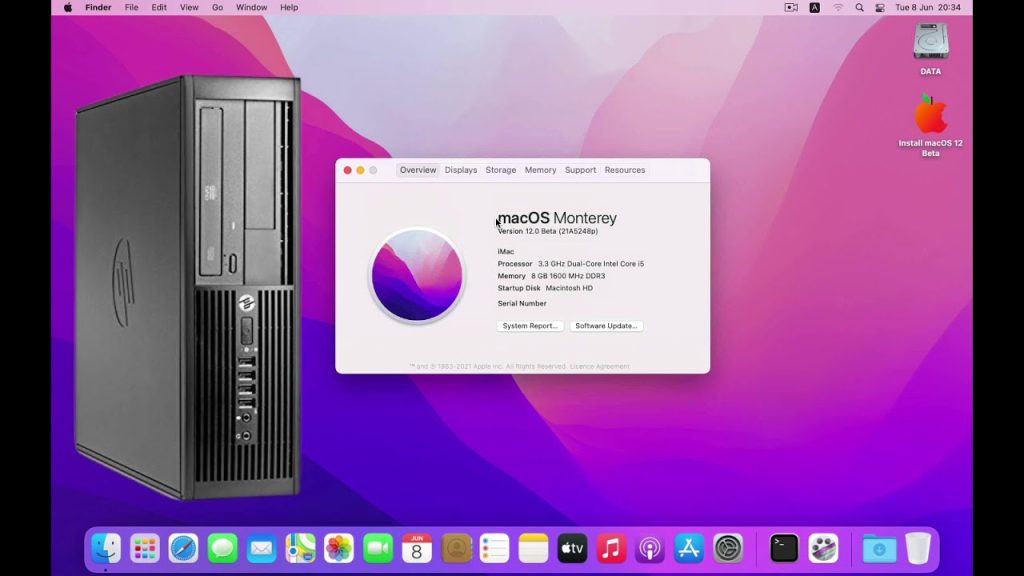
A Hackintosh is essentially a non-Apple computer that runs macOS. It is created by modifying macOS to work on hardware it was not originally designed for. The Hackintosh community has grown considerably due to Apple’s high hardware prices and the desire for customizable setups. With macOS Monterey, users gain access to the latest Apple innovations without investing in expensive Mac devices.
Hackintosh systems can range from simple desktops to high-performance gaming rigs and workstations. However, building a successful Hackintosh requires compatible hardware and careful configuration to ensure macOS runs smoothly. Compatibility is key, especially for macOS Monterey, which has certain hardware requirements, including specific processors, graphics cards, and firmware.
Why Choose macOS Monterey
Monterey offers several notable features, such as Universal Control, which allows seamless control across multiple Apple devices, an improved Safari browser, Shortcuts automation, and better FaceTime experiences with SharePlay. These features enhance productivity and entertainment, making Monterey a desirable upgrade. By creating a Hackintosh with macOS Monterey, users can enjoy these benefits on hardware they prefer or already own.
Tips and Considerations for a Successful Hackintosh Monterey Setup
Hardware Compatibility
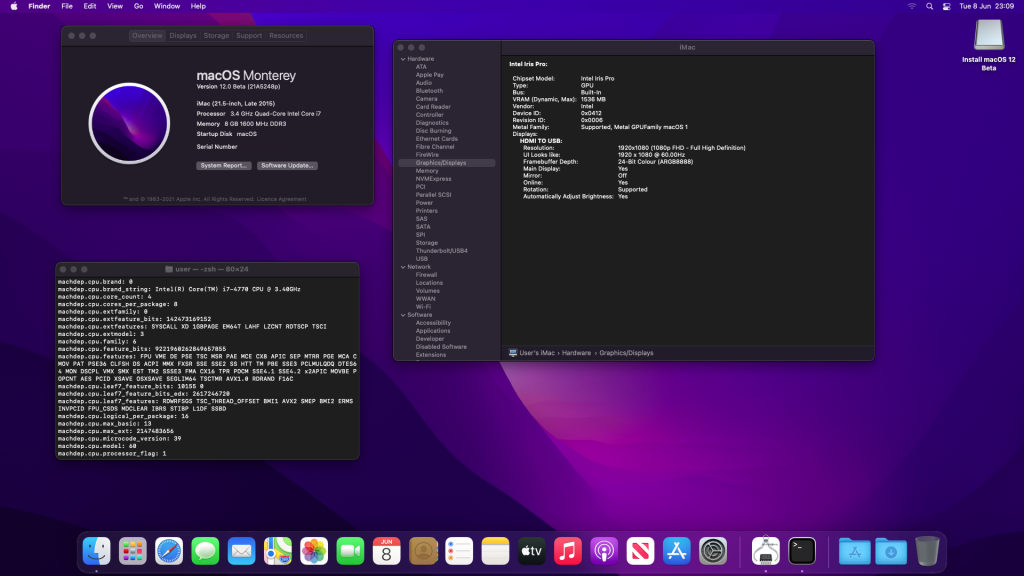
One of the biggest challenges in Hackintosh setups is hardware compatibility. MacOS Monterey primarily supports Intel-based CPUs, with some ARM compatibility on Apple Silicon Macs. For Hackintosh, Intel processors, especially those from the 8th generation and later, tend to offer the best compatibility.
Graphics cards from AMD and specific Intel-integrated GPUs are preferred, while Nvidia cards are less supported in recent macOS versions. Research and select compatible components to avoid post-installation issues.
Regular Updates and Maintenance
Running a Hackintosh requires ongoing maintenance. System updates from Apple may not always work seamlessly with a Hackintosh setup and could break functionality. It is advisable to back up data regularly and stay active in Hackintosh communities for updated patches and troubleshooting tips.
Conclusion
Installing macOS Monterey as a Hackintosh allows users to enjoy Apple’s latest OS features on their custom hardware, combining flexibility with innovation. While the process can be complex, understanding hardware compatibility and following trusted guides can make the installation smoother. By downloading macOS Monterey Hackintosh 12 from reliable sources and preparing a proper installation environment, you can experience the power of macOS Monterey without investing in a Mac. For tech enthusiasts, this project offers both a fun challenge and an affordable way to access Apple’s ecosystem.