

When it was released in November 2020, Apple’s macOS Big Sur marked a significant milestone in the evolution of the Mac operating system. As the successor to macOS Catalina, Big Sur introduced a major redesign, bringing a fresh, modern look that aligns more closely with iOS and iPadOS, reflecting Apple’s vision for a more unified ecosystem. This update was not just about aesthetics; it delivered performance improvements, new features, and deeper integration with Apple’s hardware, including the new Apple Silicon Macs.
Big Sur represented the most significant update to macOS in over a decade, with a completely revamped interface, redesigned system sounds, and updated apps. It also laid the foundation for Apple’s transition from Intel processors to its own custom ARM-based chips, making Big Sur a key player in shaping the future of macOS and the broader Apple ecosystem.
Major Design Overhaul
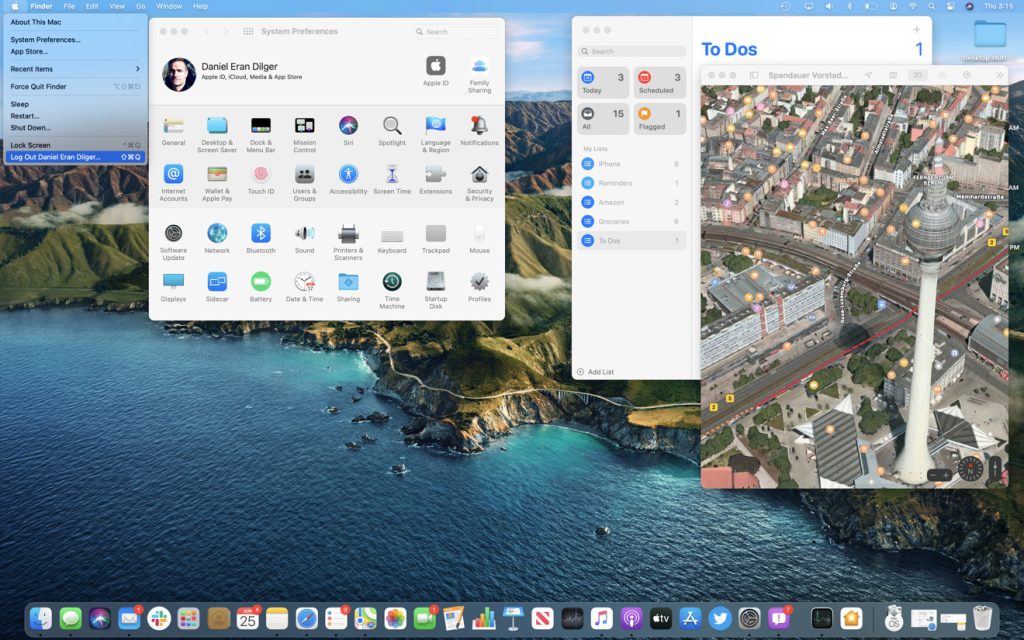
One of the most noticeable changes in macOS Big Sur is the comprehensive design overhaul. Apple focused heavily on enhancing user experience through cleaner and more consistent visuals. The system interface now features translucent elements, more spacious layouts, and refined app icons that resemble the rounded and colorful style seen on iOS devices.
Revamped Control Center and Notification Center
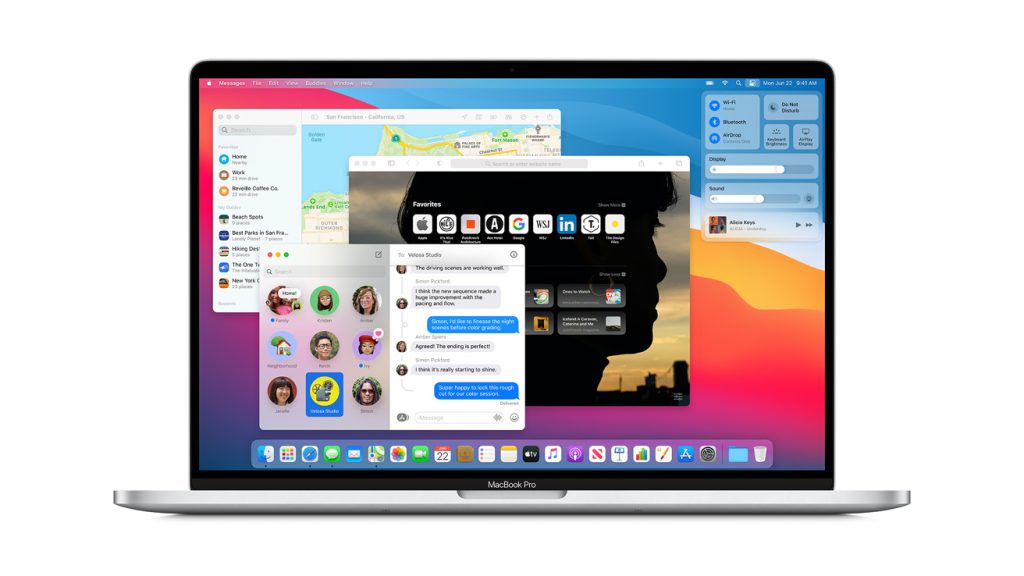
Big Sur introduced a new Control Center that consolidates many system controls into a single, easily accessible panel, similar to what iPhone and iPad users have enjoyed for years. This includes quick access to Wi-Fi, Bluetooth, display brightness, sound volume, and more. The Notification Center was also redesigned, allowing for grouped notifications and interactive widgets that provide timely information and updates, enhancing productivity and convenience.
Enhanced Performance and Privacy Features
Beyond its visual makeover, Big Sur brought substantial improvements under the hood, aimed at boosting system performance and privacy — two areas Apple prioritizes heavily.
Optimized for Apple Silicon
macOS Big Sur was the first macOS version to support Apple’s new M1 chip, a breakthrough in power efficiency and speed. This optimization means Macs running Big Sur on Apple Silicon deliver faster app launches, improved battery life, and superior overall performance compared to their Intel counterparts. It also allows developers to create universal apps that run seamlessly on both Intel and ARM Macs.
Strengthened Privacy Protections
Big Sur expands on Apple’s commitment to user privacy by introducing more transparent app permissions and controls. Users receive more explicit prompts about what data apps are accessing, and the new App Store privacy labels provide detailed information about how apps handle user data. These features empower users to make more informed decisions about their privacy.
New Features and App Improvements
macOS Big Sur also upgraded several core applications and introduced new functionalities that enhance user productivity and entertainment.
Safari Enhancements
Safari received one of the most significant updates in years with Big Sur. It now offers significantly faster browsing speeds, improved battery efficiency, and a customizable start page with background images and quick links. Safari also introduced built-in translation for several languages and enhanced privacy features, including tracking prevention and reports on website trackers.
Messages and Maps Updates
The Messages app was revamped to include features familiar to iPhone users, such as pinning favorite conversations, inline replies, and improved group messaging capabilities. The Maps app also got a refresh, offering cycling directions, electric vehicle routing, and curated guides to help users explore new places.
Conclusion
macOS Big Sur was a groundbreaking release that redefined the Mac experience through a bold new design, robust performance improvements, and enhanced privacy protections. By laying the groundwork for Apple’s transition to its silicon, Big Sur modernized macOS not only visually but also technologically. Its user-friendly features, alongside deeper integration with Apple devices, make it a pivotal update that has influenced subsequent versions of macOS and set a new standard for desktop operating systems.