
CapCut is a popular video editing app developed by ByteDance, the same company behind TikTok. Known for its user-friendly interface and powerful editing features, CapCut allows creators to craft professional-looking videos directly from their smartphones or desktops. Whether you’re just starting or looking to master advanced techniques, this guide covers everything you need to know.
Getting Started with CapCut
For beginners, CapCut is incredibly intuitive:
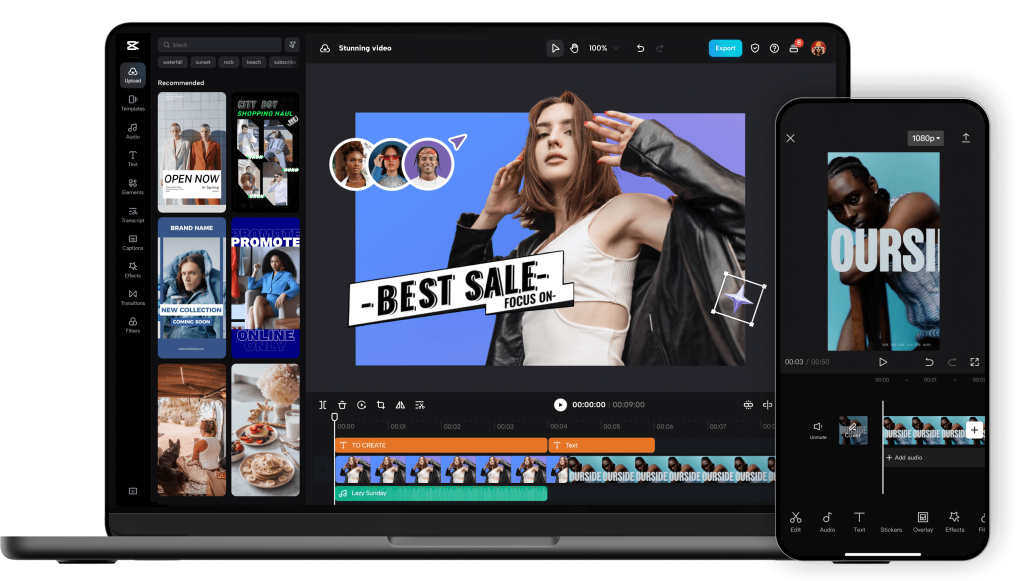
- User Interface: The home screen offers quick access to recent projects, templates, and editing tools. Starting a new project is as simple as tapping “New Project” and importing your media.
- Essential Editing Tools: You can trim, split, crop, and adjust the speed of your clips. Adding music, stickers, text, and transitions is seamless, making it easy to enhance your video with just a few taps.
- Templates and Auto Captions: CapCut offers built-in templates for social media content and automated captioning features, saving time and effort.
Exploring Intermediate Features
Once you’re comfortable with the basics, you can move on to more advanced editing options:
- Layering and Keyframing: Use multiple layers for text, video, and images to create complex effects. Keyframes allow for precise animation of elements such as zooming, rotating, and moving objects.
- Effects and Filters: CapCut provides a rich library of visual effects, filters, and transitions. Users can enhance mood or create cinematic vibes with color grading and LUTs.
- Audio Editing: Beyond adding music, CapCut lets you fine-tune audio with voice effects, noise reduction, and sound synchronization tools.
Advanced CapCut Techniques and Tips
For seasoned editors, CapCut offers features that rival professional editing software:
- Green Screen and Chroma Key: Replace backgrounds easily with the chroma key feature, perfect for YouTube or tutorial videos.
- Motion Tracking and Masking: These tools are used to track objects or apply effects to specific parts of the screen. Masking allows for creative reveals and seamless transitions.
- Custom Effects and Presets: Save your favorite effects as presets or import LUTs and filters to maintain brand consistency across multiple videos.
Conclusion
CapCut is more than just a mobile editing app—it’s a powerful tool for content creators of all skill levels. Beginners can quickly produce polished videos, while advanced users can harness deeper features to make complex, high-quality edits. With regular updates and a growing library of effects, CapCut continues to bridge the gap between casual editing and professional video production.